
Software
GFlight Camera
Manage your MSFS 2024 cameras with presets, profiles and keyboard control.
$11.49
VAT included
See the marketplace page for current price and availability.
- MSFS 2024
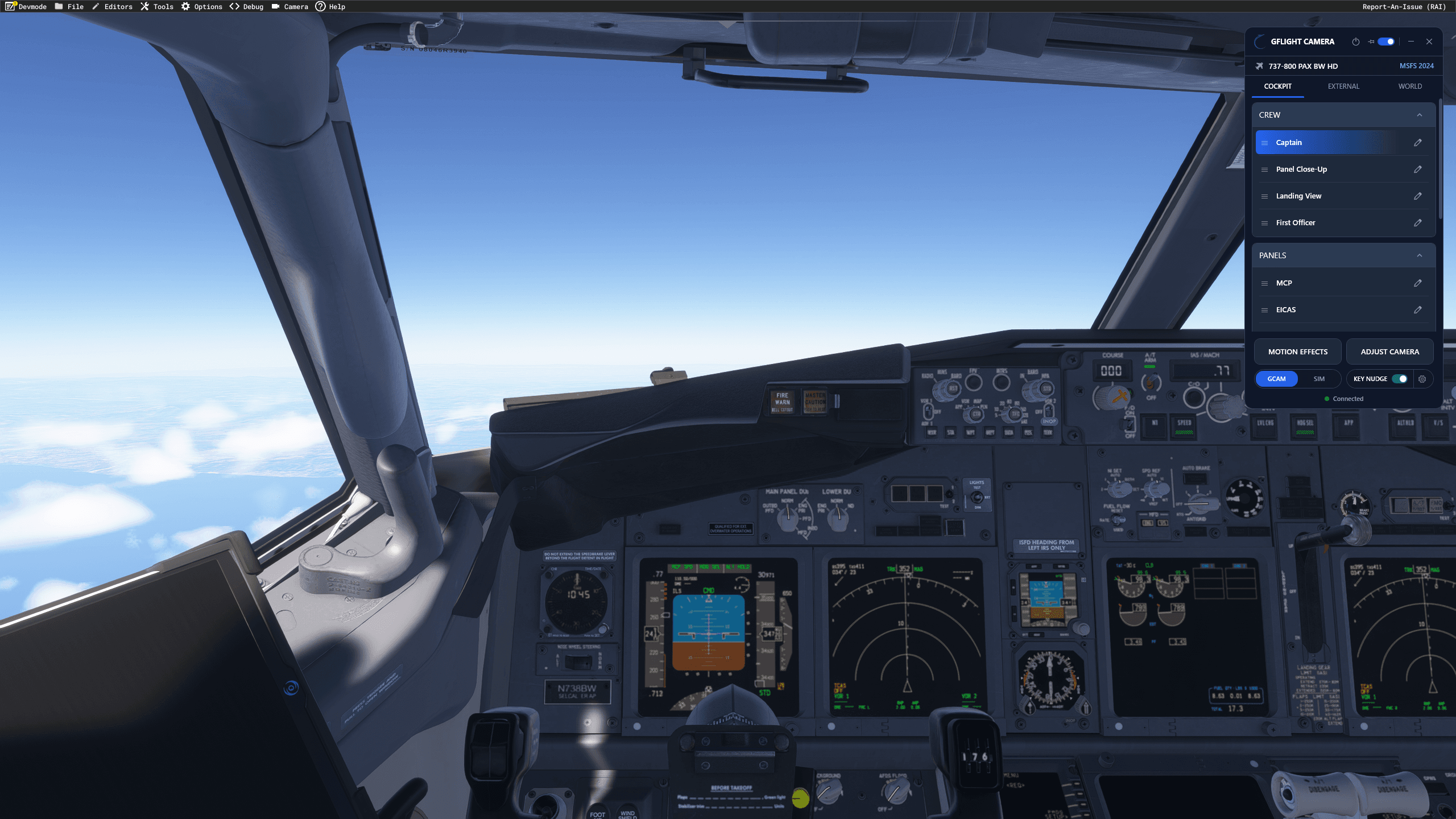
GFlight Camera is camera management software built for Microsoft Flight Simulator 2024. Manage inside and outside cameras from a single window with unlimited presets, per-aircraft profiles and 6DOF keyboard control.
Key features
- Built specifically for Microsoft Flight Simulator 2024
- Inside and Outside camera management in a single window
- Automatic aircraft detection with per-aircraft camera profiles
- Unlimited custom presets plus ready-to-use built-in presets
- 6DOF keyboard control with customizable bindings and conflict detection
- GCAM ↔ NATIVE FREE switching, with one-click saving of free-look views as presets
All features
- Keyboard, joystick and yoke assignments for camera views
- Smooth automatic transitions between presets
- Position, direction, zoom/FOV and sensitivity controls
- Rename, reorder and delete presets
- Automatic connection to MSFS 2024
- No third-party software required
Overview
GFlight Camera is a dedicated camera management solution designed to make cockpit and external camera control faster, simpler and more organized.
Create unlimited camera presets, keep a separate profile for each aircraft, and recall your favorite views instantly from the app, your keyboard, or buttons on your joystick and yoke. GFlight Camera detects the loaded aircraft automatically and switches to its profile, so there is nothing to select or configure when you change aircraft.
Both Inside and Outside views are managed from a single window, including camera position, viewing direction, zoom/FOV and movement sensitivity. Presets can be recalled instantly or with smooth automatic transitions.
6DOF keyboard control
Move the camera forward/backward, left/right and up/down, while controlling yaw, pitch and roll directly from your keyboard. Movement continues smoothly for as long as the key is held.
Default keys use the Shift modifier (Shift + W/A/S/D/R/F/Q/E and Shift + Arrow Keys) to avoid conflicts with MSFS shortcuts. All bindings can be customized, with automatic conflict detection. Keyboard control can be toggled on or off at any time from the KEY NUDGE indicator on the bottom bar.
GCAM ↔ NATIVE FREE
Hand camera control back to MSFS with a single click and use the simulator's native right-click free-look.
When you find a view you like, save it as a named preset instantly with SAVE CURRENT VIEW. Switch back to GCAM and GFlight Camera takes over again with all your settings preserved.
Aircraft compatibility and simulator support
GFlight Camera works with most MSFS 2024 aircraft. Functionality may vary with certain aircraft or third-party add-ons due to differences in camera implementation.
MSFS 2020 is not supported yet; support is in development.
Early access
GFlight Camera is in early access and under active development. The core camera management features are already available, while further MSFS 2024 native camera integration is planned.
- WORLD camera functionality is not currently available and is planned for a future release.
- All future updates, including major version upgrades, are free for existing customers.
License, updates and support
- A license key is entered once and verified automatically on each launch.
- The license may be used by the purchaser on multiple personally owned computers, with one active session at a time.
- Licenses are personal and non-transferable.
- An active internet connection is required while using GFlight Camera.
- Updates are downloaded manually through the provided distribution channel.
- Support is available via e-mail and the SimMarket support system.
Compatibility
| Simulator |
|---|
| Microsoft Flight Simulator 2024 |
Technical details
- Product category
- Camera management software
- Simulator
- Microsoft Flight Simulator 2024 (MSFS 2020 support in development)
- Aircraft compatibility
- Most MSFS 2024 aircraft
- Version
- 0.2.0 (early access)
- Third-party software
- Not required
- Internet connection
- Required while in use
- License
- Personal, non-transferable; your own computers, one session at a time
- Updates
- Free for existing customers
GFlight is an independent flight simulation hardware brand. Third-party brand and product names mentioned for this product are used only to describe compatibility. The relevant brands and trade names belong to their respective owners. GFlight does not claim any manufacturer, licensing or official partnership relationship with these brands.