New
Hardware
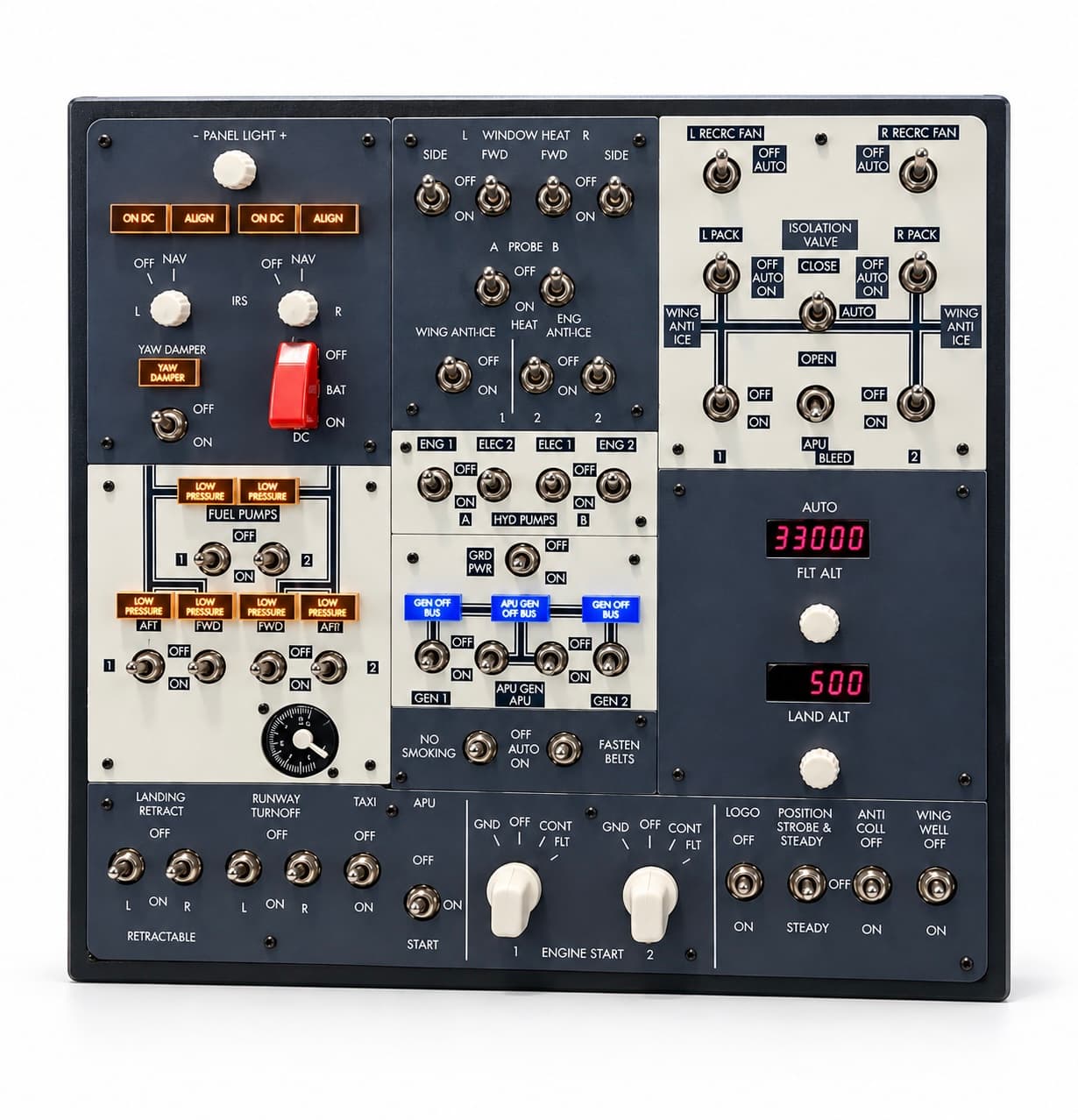
GFlight B737 Mini Overhead Panel
Run electrical, fuel, hydraulic and lighting controls with physical switches.
₺39,000
- MSFS 2020
- MSFS 2024
- X-Plane 12

Hardware
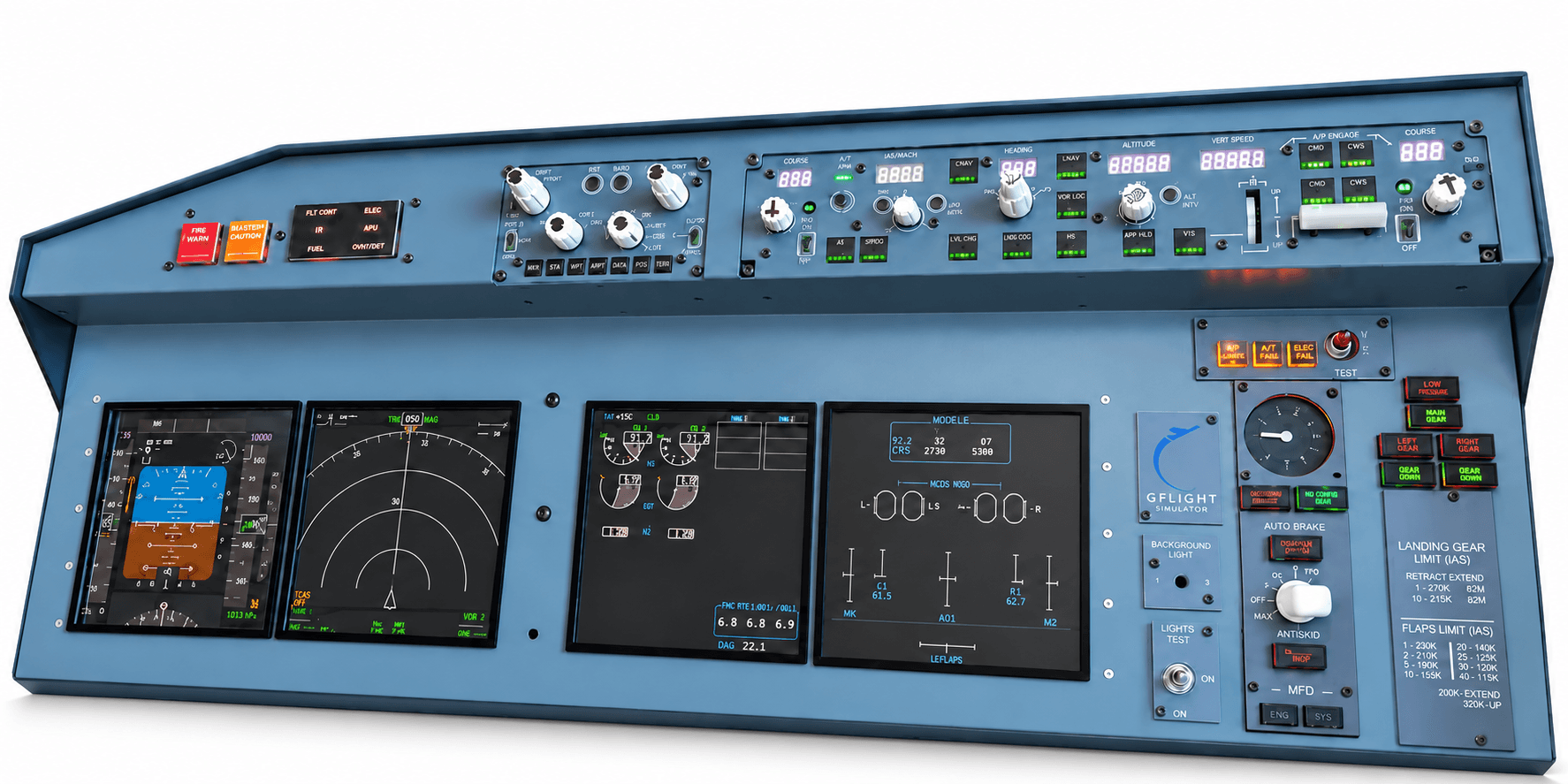
An integrated Boeing 737 cockpit experience on a single panel.
₺139,000
VAT included
The GFlight B737 Mini MIP combines the most frequently used flight and system controls of the Boeing 737 cockpit in a single body: MCP, EFIS, FMC/CDU, landing gear, flap indicator and core MIP controls. With its PFD, ND and MAIN displays it turns your desktop simulation into an integrated cockpit.
Set the autopilot from the MCP section, control the navigation display with the EFIS, prepare your flight plan on the physical FMC/CDU, and operate the landing gear and flaps with real controls. Instead of switching between separate devices and virtual knobs on screen, you use the most important flight controls in one integrated structure. Physical controls, digital displays, illuminated annunciators and screens stay in sync with the supported aircraft.
The GFlight B737 Mini MIP comes with its own connection software. There is no need to buy or install third-party tools such as SPAD.neXt, AxisAndOhs or MobiFlight.
The Mini MIP is not only a physical cockpit panel but also a virtual copilot that supports you in flight. Activate the voice assistant by saying “Copilot” and have supported cockpit tasks done by voice command. During busy phases such as takeoff, approach and landing, you can keep your attention on flying instead of moving around cockpit screens with the mouse.
Commands are given in English and work with fixed phrases (for example “gear up”, “flaps five”). The voice assistant currently works only in MSFS 2020 and MSFS 2024 (PMDG 737-800); it is not supported in X-Plane 12.
Supported functions:
| Simulator | Aircraft |
|---|---|
| Microsoft Flight Simulator 2020 | PMDG 737-800 |
| Microsoft Flight Simulator 2024 | PMDG 737-800 |
| X-Plane 12 | Zibo Mod B737-800X |
Hardware
Run electrical, fuel, hydraulic and lighting controls with physical switches.
₺39,000